KidRoles for preschools, schools and after-school programs
A ready-made themed activity for a group — no child accounts, no internet, no data collection. Tell us how you work and we’ll tailor the setup and issue an invoice.
Send inquiryFor home and for the classroom.
Home
- Learning to count money through play
- No ads or in-app purchases
- Works offline on tablets and phones — landscape too
Preschool, kindergarten & school
- A ready-made “play store” activity
- Group profiles (PIN optional)
- No children’s data collected
After-school & therapy
- Practicing math and social roles
- Adjustable pace and difficulty
- Montessori-friendly, calm interface
A sample lesson: a class store in 45 minutes
One tablet as the register, the teacher’s phone as a scanner, and empty packaging the families sent in. Here is how a kindergarten to grade 2 lesson can run — with role rotation, so every child gets to sell and to pay.
- 5 min
Coins, bills and prices
On the rug, look at the coin tray together and read prices out loud: “$4.50 is four dollars and fifty cents.” Make two lists on the board: what the cashier does and what the shopper does.
- 10 min
Set up the store
Teams stock a shelf with packaging and write price tags. The app has a ready-made product set, or the stock you entered before class; printable play cards with barcodes come from edit mode.
- 15 min
Open for business, roles rotate
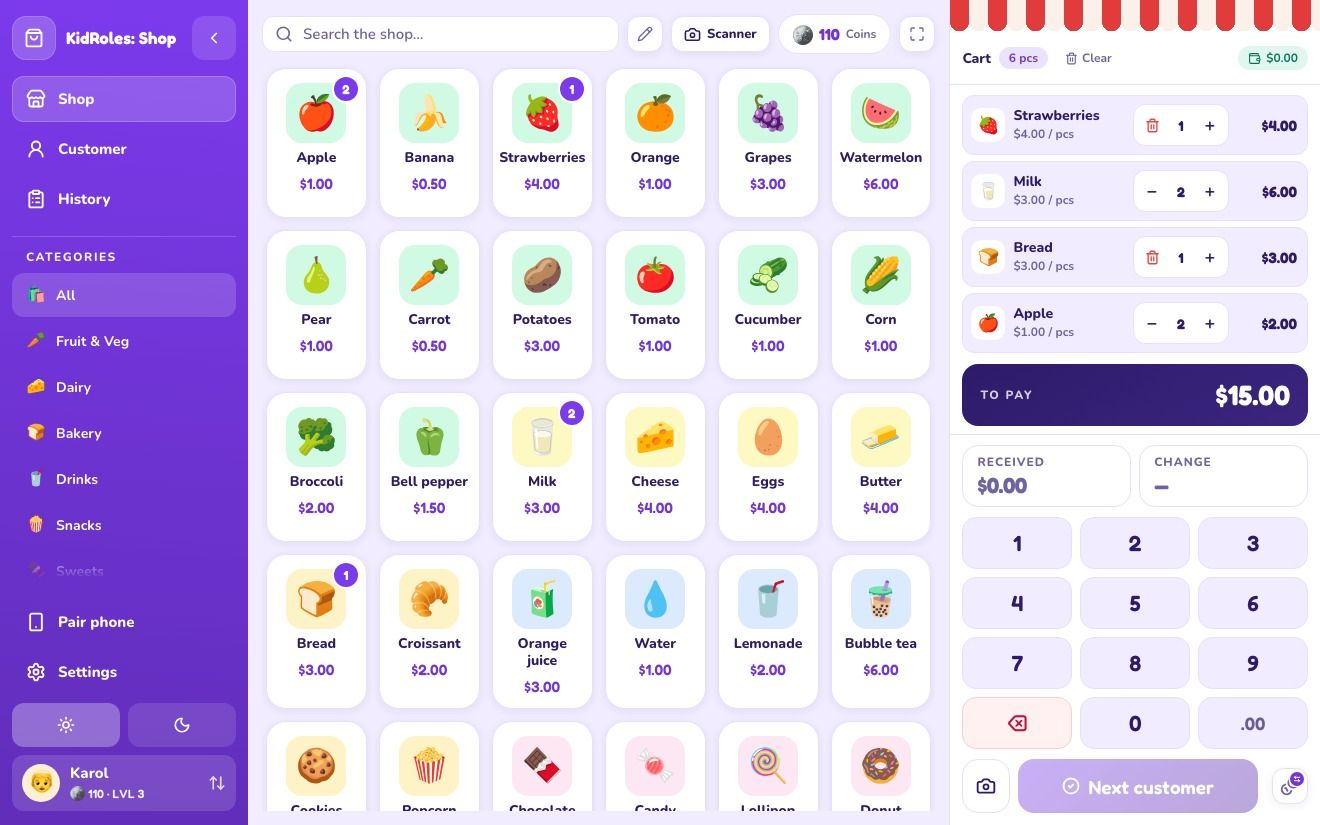
The cashier taps their own profile and a shopper brings items over. Scan with the phone or the tablet camera, count the payment on the tray, and the register shows the change. Swap roles every three shoppers; the rest of the class works at stations without a device.
- 10 min
Customer mode: change on their own
Older children play Customer mode: a shopper puts items on the conveyor belt and, on higher levels, pays with a bill and waits for change, which the child counts out from the tray. Three difficulty levels let you match the task to the child.
- 5 min
Wrap-up on the rug
Open the sales history together: how many shoppers did you serve, and who earned coins for correct change? Ask who ran out of money and what they did about it.
Setting up a store that stays in the room for weeks, without a tablet? The longer guide covers props, print, roles and when to rotate: Grocery store dramatic play — setting up the center →
A link for your lesson
Prepare the shop for your lesson and paste a single link into Google Classroom or Teams — students open the app with the catalog already loaded, with no product typing. You can prepare the link yourself or with help from ChatGPT, Claude or Gemini (describe the products and budget, the assistant returns a link; no child data is needed). On click the app asks whether to add the products to the catalog or replace it.
Example link: a fruit shop, Customer mode, level 1 (opens in a new tab)
Where a class store fits the standards
Money is one of the first places where math meets everyday life, and most early-years and primary standards name it outright. Here is what KidRoles practices.
Early years and kindergarten
Early learning frameworks put role play and early number at the center: counting, comparing amounts and spotting numbers in everyday places. A class store covers all three, plus taking turns at the register.
US: Common Core, grade 2
Standard 2.MD.C.8: solve word problems involving dollar bills, quarters, dimes, nickels and pennies, using the $ and ¢ symbols. Set the app to dollars and the tray uses 50¢, $1 and bills; quarters, dimes and nickels stay on the table as real coins.
England: national curriculum, Years 1–2
Year 1: recognise and know the value of coins and notes. Year 2: use £ and p, combine amounts and solve practical problems that include giving change. Set the app to pounds and the tray switches to sterling.
In the app, children pay and give change on a tray of coins and bills, read prices with cents ($4.50), and count out change on their own in Customer mode. Correct change earns the cashier coins and moves them up a level.
Computers in your setting
KidRoles installs from the browser like a regular app — no installer and no accounts. Your IT team can put it on every computer at once with Edge and Chrome policies; kiosk mode and network requirements are on a separate page.
Zero personal data. Everything stays on the device.
No accounts, no tracking, no ads. We design KidRoles so parents and schools can rest easy.
Ask for detailsGame data never leaves the phone or tablet.
No banners or in-app purchases in your child’s game.
A Parent PIN — or, without one, a grown-ups-only multiplication question (on by default in a new install) — guards Settings, product editing and clearing the history; external links ask a grown-up too. Forgot the PIN? Solve a multiplication to switch it off — no accounts, no data lost.
Free for home.
- The full KidRoles: Shop game
- Works offline, no account
- No ads or in-app purchases
- Web, iOS, Android, desktop
- Setup for your preschool or program
- Group profiles (PIN optional)
- Support and materials
- Invoicing for institutions